Guest Message
Report parameters
|
Field |
Description |
|---|---|
|
Report Name |
The name of the report. |
|
Start Date |
The start date from when the data must be considered for generating the report. |
|
End Date |
The end date until when the data must be considered for generating the report. |
|
Report Options |
Available options include the following:
|
|
Sort Options |
Available options include the following:
|
Sample Report
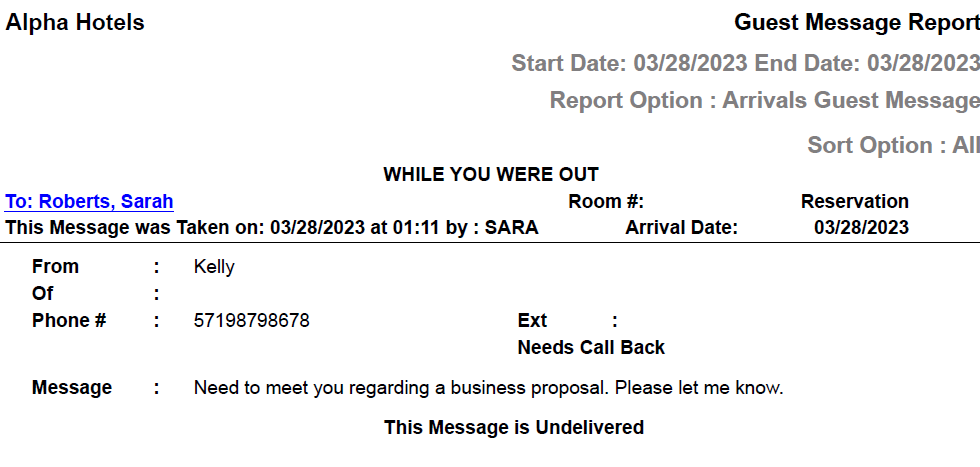
Report Fields
|
Field |
Description |
|---|---|
|
To |
The first name and the last name of the guest will appear as a hyperlink and clicking it will navigate the user to the guest record. |
|
Room # |
The room number of the guest. |
|
From |
The first name and the last name of the caller. |
|
Of |
Description of the nature of the message. |
|
Phone # |
The phone number of the caller. |
|
Ext |
The extension number of the caller. |
|
Message |
The reason for the call. |